How the {crane} Package Extends the Framework for Pharma Reporting

{crane} is the Roche extension to {gtsummary} for Roche’s reporting requirements
{crane} exports a {gtsummary} theme
{crane} exports functions to bespoke summary tables
Began to address reproducibility issues while working in academia
Goal to build a package to summarize study results with code that was both simple and customizable
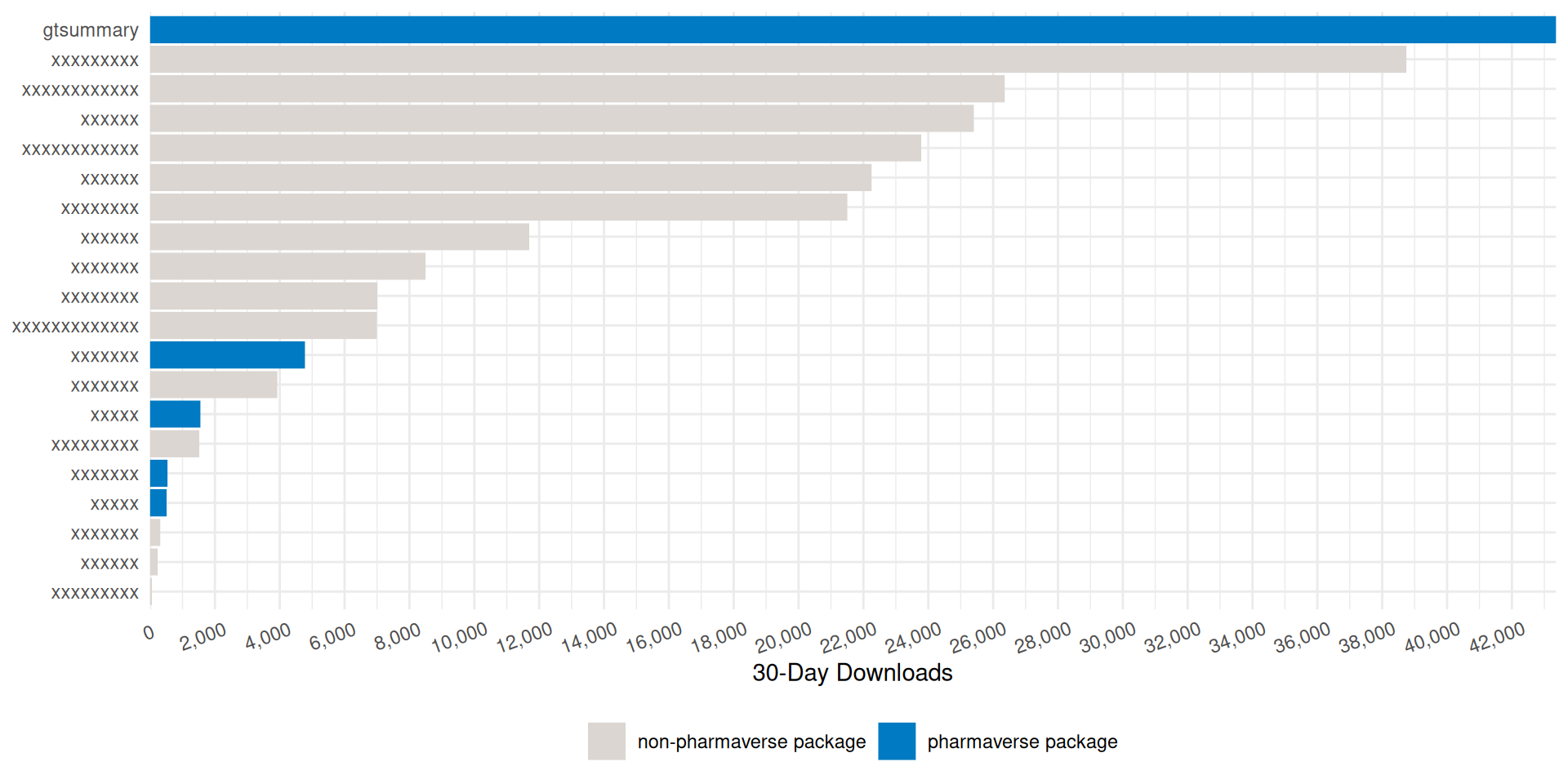
The stats
Won the 2021 American Statistical Association (ASA) Innovation in Programming Award
Won the 2024 Posit Pharma Table Contest
Won the 2025 Brian Bole Award of Excellence from R in Pharma






Since {gtsummary} is widely adopted, our LLMs besties work wonderfully out of the box. No additional training needed!
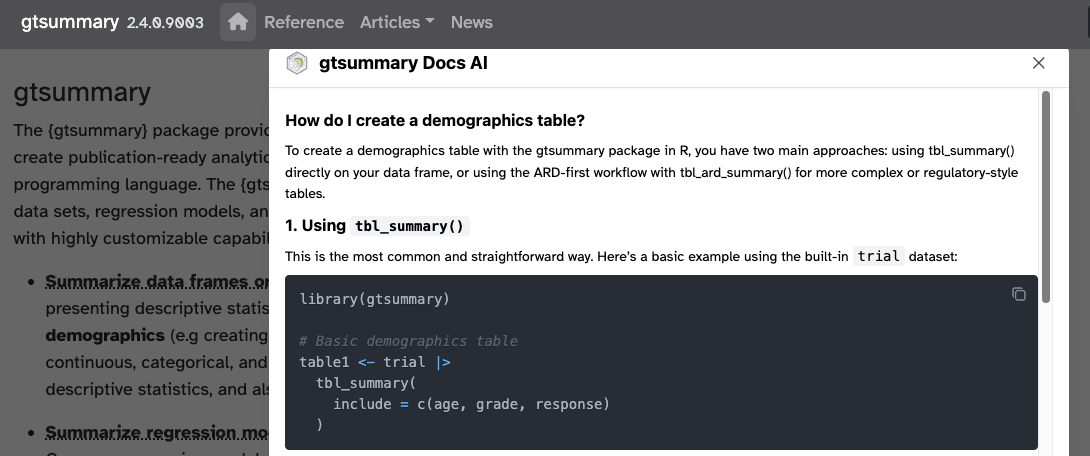
The {gtsummary} site has recently added an AI assistant and it’s AMAZING! Powered by kapa.ai (thank you!)


But, I want to touch on two items
{gtsummary} creates beautiful tables that are easy to customize
{gtsummary} supports themes that allow users to change defaults and other details of summary tables
library(gtsummary)
library(tidyverse)
adsl <- pharmaverseadam::adsl |>
filter(SAFFL == "Y") |>
mutate(ARM2 = word(ARM), FEMALE = SEX == "F") |>
labelled::set_variable_labels(FEMALE = "Female")
adae <- pharmaverseadam::adae |>
filter(
USUBJID %in% adsl$USUBJID,
AESOC %in% c("CARDIAC DISORDERS", "EYE DISORDERS"),
AEDECOD %in% c("ATRIAL FLUTTER", "MYOCARDIAL INFARCTION", "EYE ALLERGY", "EYE SWELLING")
) |>
mutate(ARM2 = word(ARM))
adtte <- pharmaverseadam::adtte_onco |>
dplyr::filter(PARAM == "Progression Free Survival") |>
mutate(ARM2 = word(ARM))
We will review briefly just one summary table function.
tbl_summary()Other functions helpful functions we’re not covering:
tbl_hierarchical(): Summarize AE, Con Meds, and other similar rates
tbl_hierarchical_count(): similar to tbl_hierarchical() for counts instead of rates
tbl_cross(): cross tabulations
tbl_continuous(): summarizing continuous variables by 2 categorical variables
tbl_wide_summary(): similar to tbl_summary() but statistics are presented in separate columns
many more!
Four types of summaries: continuous, continuous2, categorical, and dichotomous
Statistics are median (IQR) for continuous, n (%) for categorical/dichotomous
Variables coded 0/1, TRUE/FALSE, Yes/No treated as dichotomous by default
Label attributes are printed automatically
| Characteristic | Placebo N = 861 |
Xanomeline N = 1681 |
|---|---|---|
| Age | 76 (69, 82) | 77 (71, 81) |
| Ethnicity | ||
| HISPANIC OR LATINO | 3 (3.5%) | 9 (5.4%) |
| NOT HISPANIC OR LATINO | 83 (97%) | 159 (95%) |
| Female | 53 (62%) | 90 (54%) |
| 1 Median (Q1, Q3); n (%) | ||
by: specify a column variable for cross-tabulation| Characteristic | Placebo N = 861 |
Xanomeline N = 1681 |
|---|---|---|
| Age | ||
| Median (Q1, Q3) | 76 (69, 82) | 77 (71, 81) |
| Ethnicity | ||
| HISPANIC OR LATINO | 3 (3.5%) | 9 (5.4%) |
| NOT HISPANIC OR LATINO | 83 (97%) | 159 (95%) |
| Female | 53 (62%) | 90 (54%) |
| 1 n (%) | ||
by: specify a column variable for cross-tabulation
type: specify the summary type
| Characteristic | Placebo N = 861 |
Xanomeline N = 1681 |
|---|---|---|
| Age | ||
| Mean (SD) | 75 (9) | 75 (8) |
| Min, Max | 52, 89 | 51, 88 |
| Ethnicity | ||
| HISPANIC OR LATINO | 3 (3.5%) | 9 (5.4%) |
| NOT HISPANIC OR LATINO | 83 (97%) | 159 (95%) |
| Female | 53 / 86 (62%) | 90 / 168 (54%) |
| 1 n (%); n / N (%) | ||
by: specify a column variable for cross-tabulation
type: specify the summary type
statistic: customize the reported statistics
| Characteristic | Placebo N = 861 |
Xanomeline N = 1681 |
|---|---|---|
| Age, years | ||
| Mean (SD) | 75 (9) | 75 (8) |
| Min, Max | 52, 89 | 51, 88 |
| Ethnicity | ||
| HISPANIC OR LATINO | 3 (3.5%) | 9 (5.4%) |
| NOT HISPANIC OR LATINO | 83 (97%) | 159 (95%) |
| Female | 53 / 86 (62%) | 90 / 168 (54%) |
| 1 n (%); n / N (%) | ||
by: specify a column variable for cross-tabulation
type: specify the summary type
statistic: customize the reported statistics
label: change or customize variable labels| Characteristic | Placebo N = 861 |
Xanomeline N = 1681 |
|---|---|---|
| Age, years | ||
| Mean (SD) | 75 (8.6) | 75 (8.1) |
| Min, Max | 52, 89 | 51, 88 |
| Ethnicity | ||
| HISPANIC OR LATINO | 3 (3.5%) | 9 (5.4%) |
| NOT HISPANIC OR LATINO | 83 (97%) | 159 (95%) |
| Female | 53 / 86 (62%) | 90 / 168 (54%) |
| 1 n (%); n / N (%) | ||
by: specify a column variable for cross-tabulation
type: specify the summary type
statistic: customize the reported statistics
label: change or customize variable labels
digits: specify the number of decimal places for rounding
This syntax is also used in {cards}, {cardx}, {crane}, and {gt}.
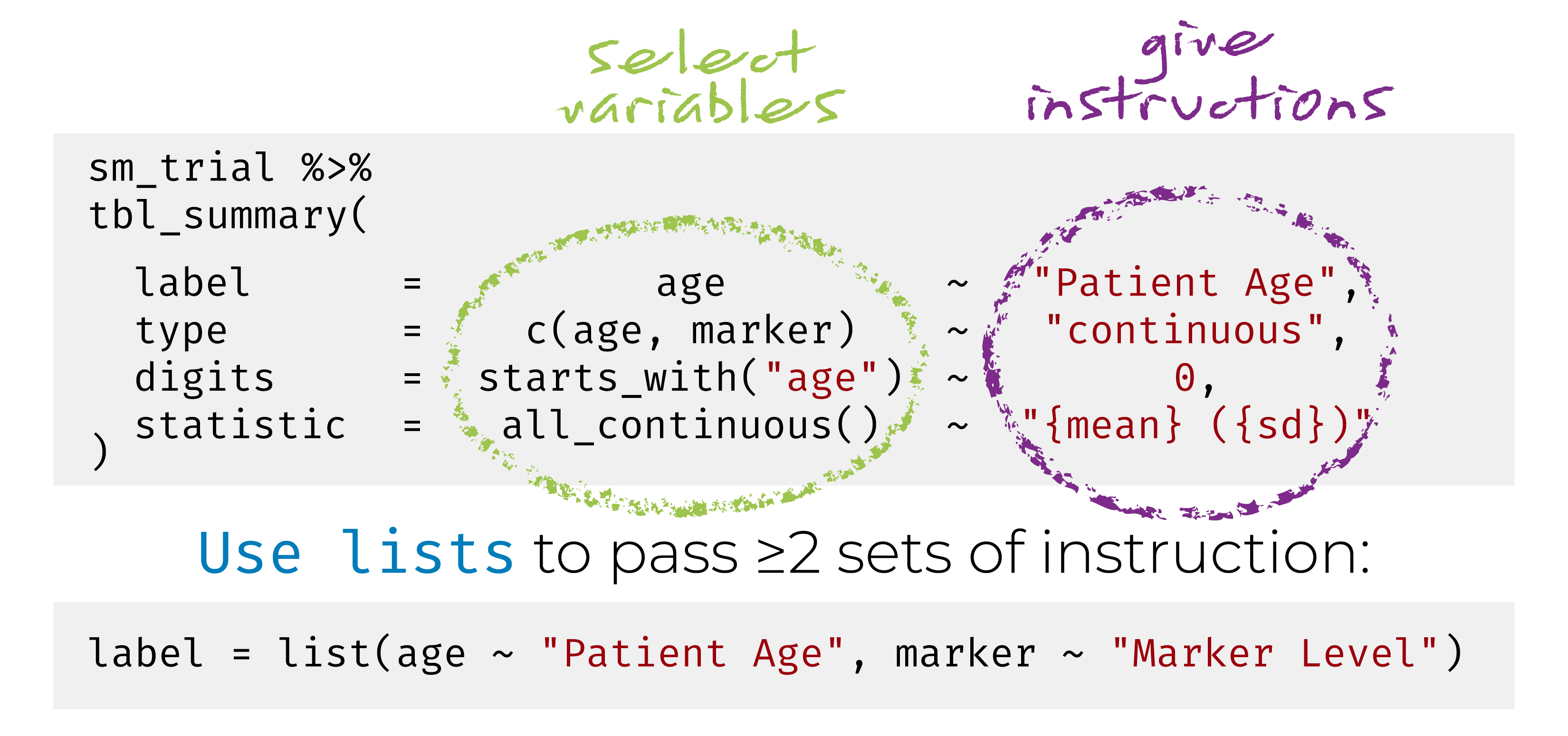
Named list are OK too! label = list(age = "Patient Age")
Use the following helpers to select groups of variables: all_continuous(), all_categorical()
Use all_stat_cols() to select the summary statistic columns
tbl_summary() objects can also be updated using related functions.
add_*() add additional column of statistics or information, e.g. p-values, q-values, overall statistics, treatment differences, N obs., and more
modify_*() modify table headers, spanning headers, footnotes, and more
| Characteristic | Placebo N = 861 |
Xanomeline N = 1681 |
Overall N = 2541 |
|---|---|---|---|
| Age | 76 (69, 82) | 77 (71, 81) | 77 (70, 81) |
| Ethnicity | |||
| HISPANIC OR LATINO | 3 (3.5%) | 9 (5.4%) | 12 (4.7%) |
| NOT HISPANIC OR LATINO | 83 (97%) | 159 (95%) | 242 (95%) |
| Female | 53 (62%) | 90 (54%) | 143 (56%) |
| 1 Median (Q1, Q3); n (%) | |||
add_overall(): adds a column of overall statisticstbl <-
adsl |>
tbl_summary(by = ARM2, include = c("AGE", "ETHNIC", "FEMALE")) |>
modify_header(
stat_1 ~ "**Group A**",
stat_2 ~ "**Group B**"
) |>
modify_spanning_header(
all_stat_cols() ~ "**Drug**") |>
modify_footnote(
all_stat_cols() ~
paste("median (IQR) for continuous;",
"n (%) for categorical")
)
tbl| Characteristic |
Drug
|
|
|---|---|---|
| Group A1 | Group B1 | |
| Age | 76 (69, 82) | 77 (71, 81) |
| Ethnicity | ||
| HISPANIC OR LATINO | 3 (3.5%) | 9 (5.4%) |
| NOT HISPANIC OR LATINO | 83 (97%) | 159 (95%) |
| Female | 53 (62%) | 90 (54%) |
| 1 median (IQR) for continuous; n (%) for categorical | ||
show_header_names() to see the internal header names available for use in modify_header()Column Name Header level* N* n* p*
label "**Characteristic**" 254 <int>
stat_1 "**Group A**" Placebo <chr> 254 <int> 86 <int> 0.339 <dbl>
stat_2 "**Group B**" Xanomeline <chr> 254 <int> 168 <int> 0.661 <dbl>
* These values may be dynamically placed into headers (and other locations).
ℹ Review the `modify_header()` (`?gtsummary::modify_header()`) help for examples.
all_stat_cols() selects columns "stat_1" and "stat_2"
And many more!
See the documentation at http://www.danieldsjoberg.com/gtsummary/reference/index.html
And a detailed tbl_summary() vignette at http://www.danieldsjoberg.com/gtsummary/articles/tbl_summary.html
Two or more {gtsummary} tables can be combined by either merging or stacking.
tbl_merge() for horizontal combining
tbl_stack() for vertical combining
But more on this later in the {crane} section


The first function we added to {crane} was tbl_roche_summary(): a very thin wrapper for gtsummary::tbl_summary().
Continuous variables default to continuous2.
tbl_summary(missing*) arguments have been changed to tbl_roche_summary(nonmissing*).
Counts represented by 0 (0%) print as 0.

| Placebo (N = 86) |
Xanomeline (N = 168) |
|
|---|---|---|
| Age | ||
| n | 86 | 168 |
| Mean (SD) | 75 (9) | 75 (8) |
| Median | 76 | 77 |
| Min - Max | 52 - 89 | 51 - 88 |
| ETHNIC | ||
| n | 86 | 168 |
| HISPANIC OR LATINO | 3 (3.5%) | 9 (5.4%) |
| NOT HISPANIC OR LATINO | 83 (97%) | 159 (95%) |
| REFUSED | 0 | 0 |

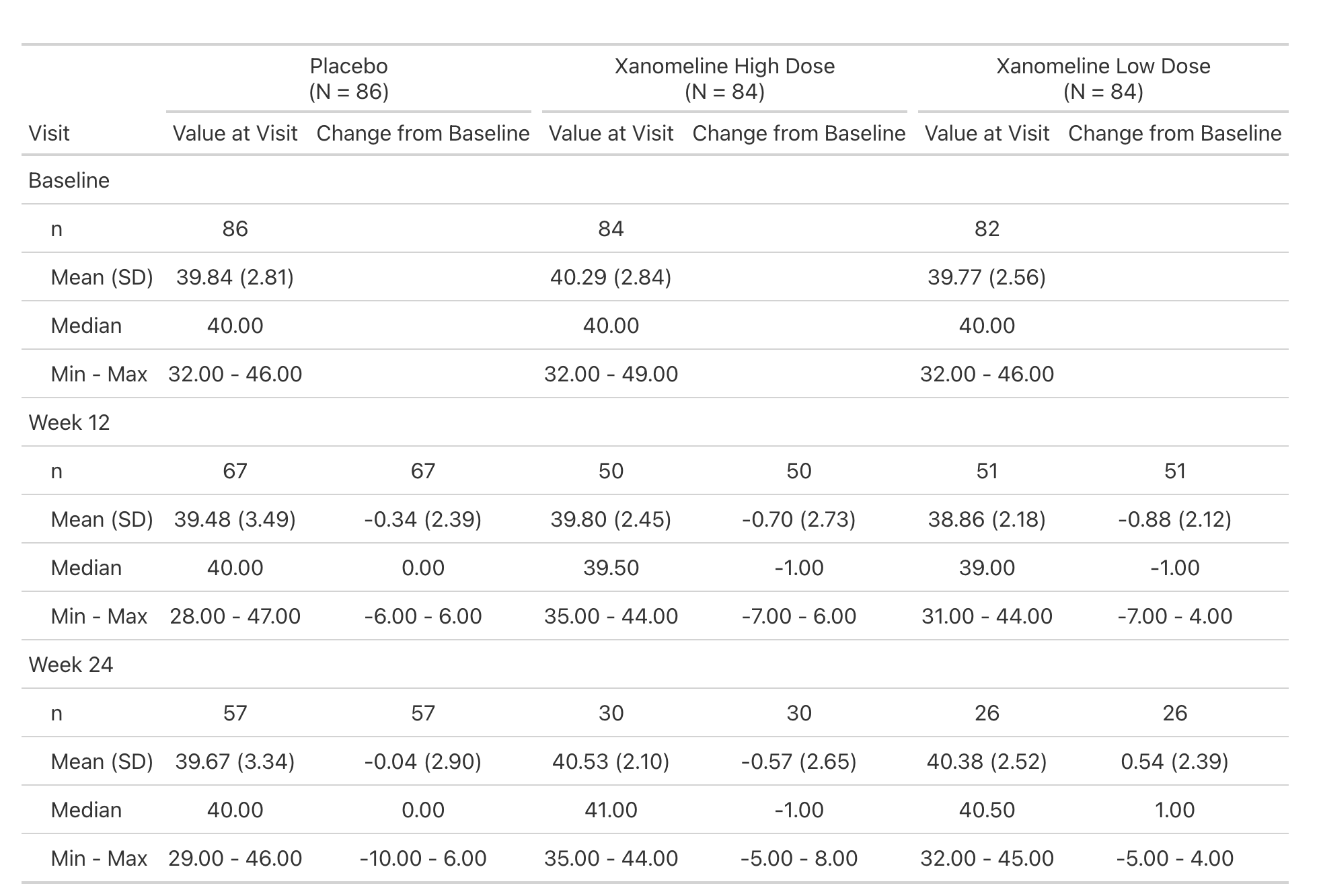
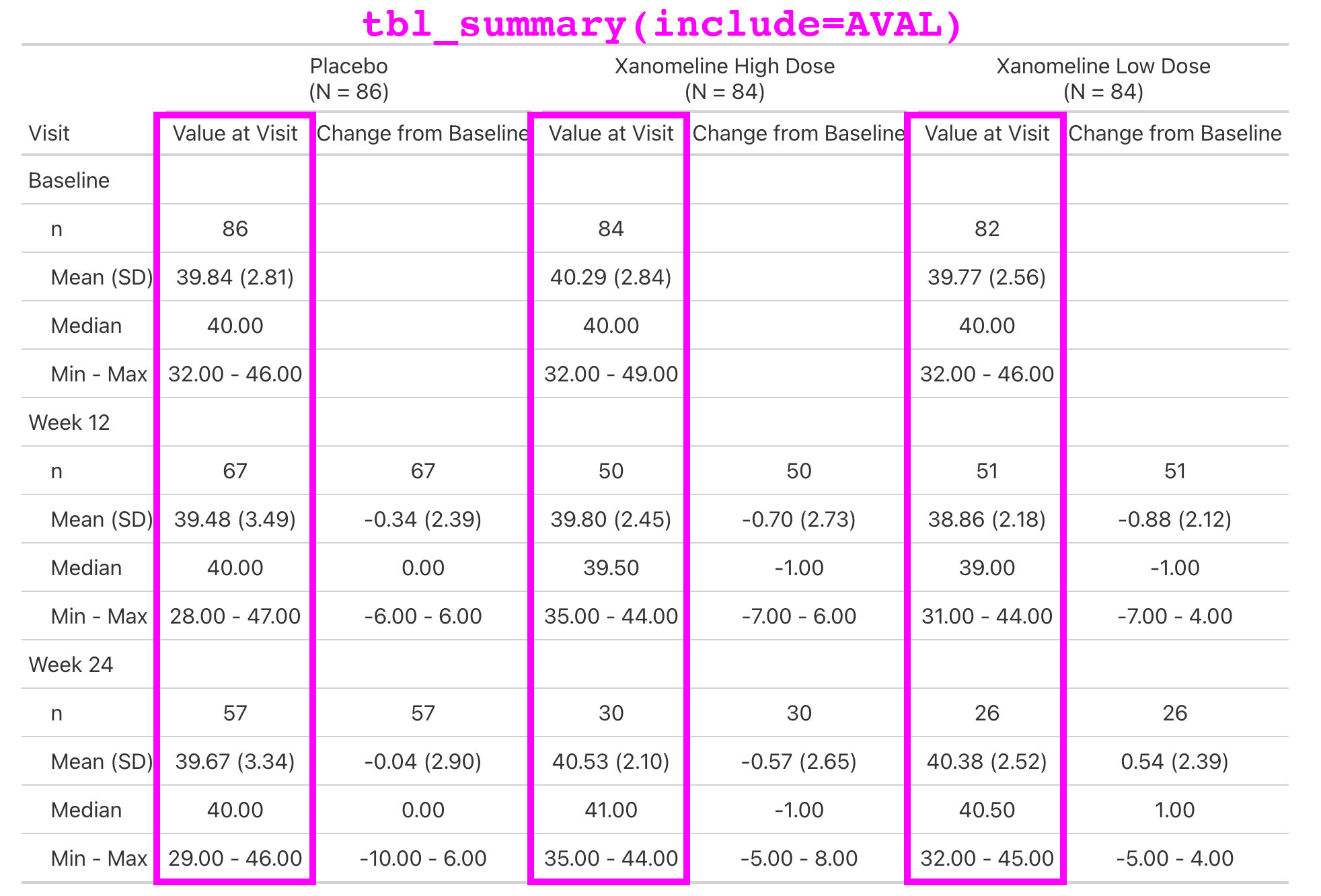
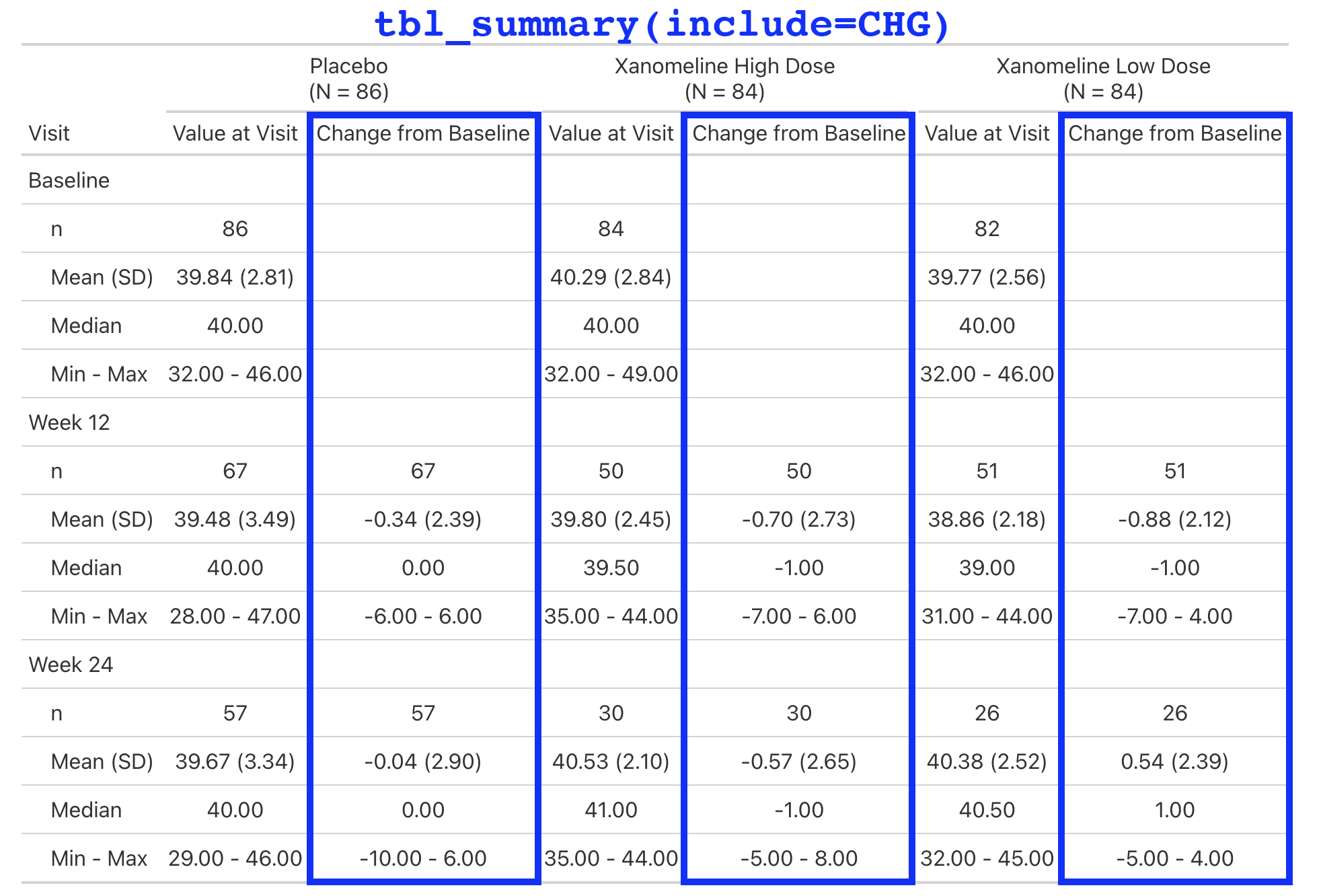
Lab values are summarized by visit and include the change from baseline.
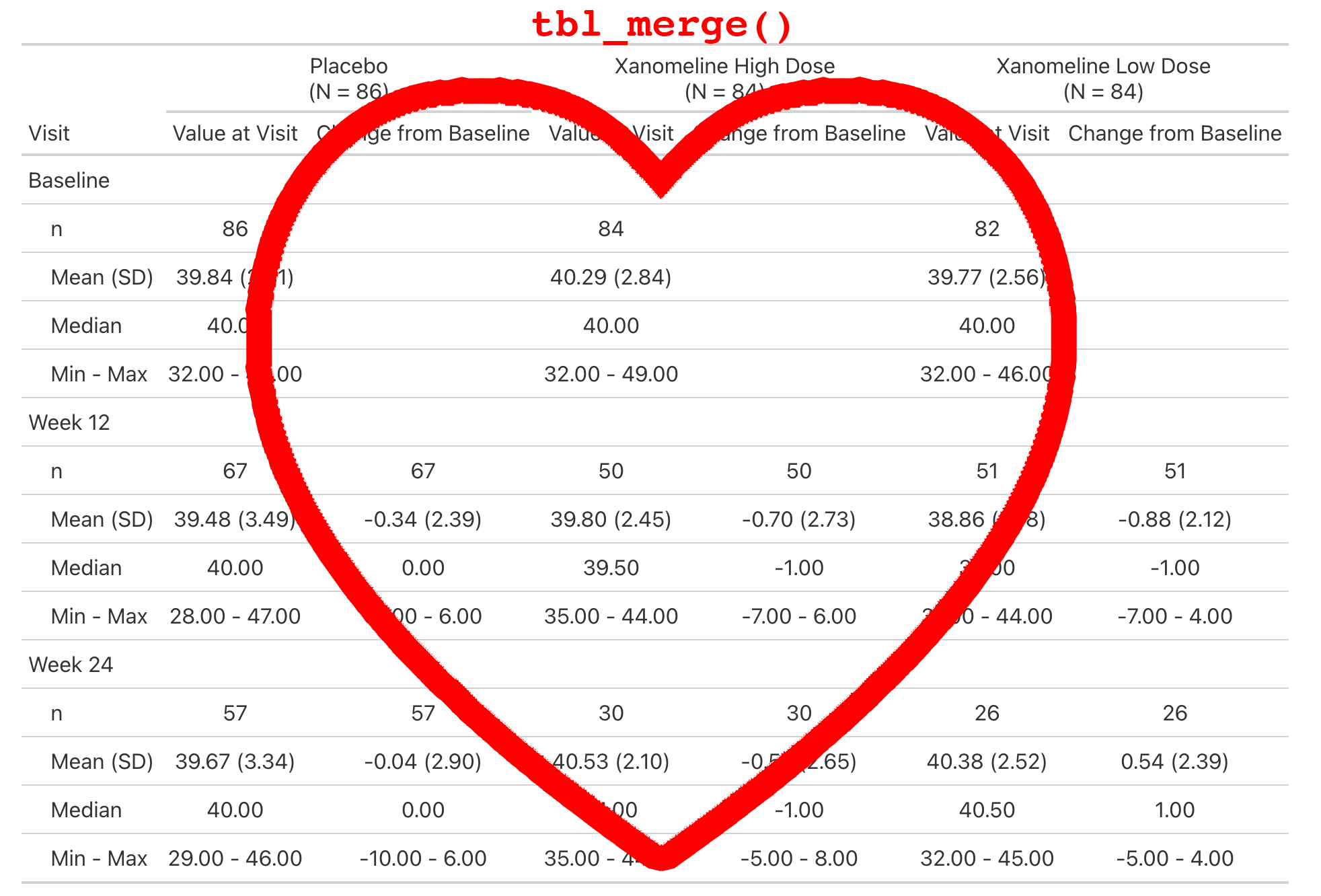
This is a simple table that is just a tbl_merge() of the AVAL summary and the CHG summary.
But the general structure appears enough times in our catalog, we make it simple for our programmers to create.


Our theme is implemented in crane::theme_gtsummary_roche()
Primary changes include:
Sets a custom function for rounding percentages.
Round all p-values to four decimal places.
Headers default to include the N in parenthesis without bold, e.g. 'Placebo \n (N = 184)'.
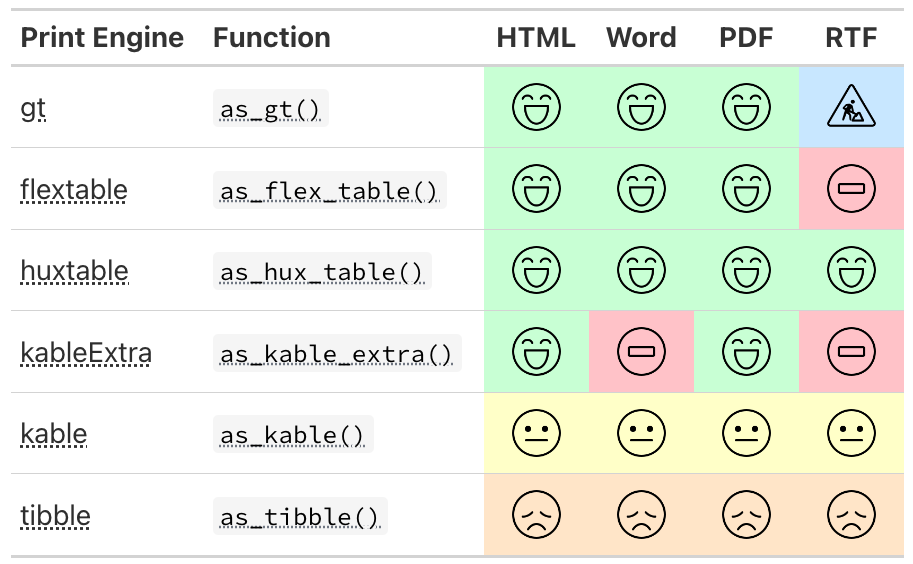
All tables are printed with {flextable} and we add Roche-specific styling to the table.

Placebo | Xanomeline | |
|---|---|---|
Age | ||
n | 86 | 168 |
Mean (SD) | 75 (9) | 75 (8) |
Median | 76 | 77 |
Min - Max | 52 - 89 | 51 - 88 |
ETHNIC | ||
n | 86 | 168 |
HISPANIC OR LATINO | 3 (3.5%) | 9 (5.4%) |
NOT HISPANIC OR LATINO | 83 (96.5%) | 159 (94.6%) |
REFUSED | 0 | 0 |

We don’t have time to cover in detail, but there is another wonderful way to create bespoke tables and functions.
The {gtsummary} package supports creating tables using ARDs (Analysis Results Datasets).
This method is particularly useful for efficacy tables, as they contain statistics that are not our standard rates, counts, and univariate descriptor statistics.
Review the ARD-first Vignette for a detailed walk through.

When it comes time to build your custom tables, use the {crane} package as a blueprint.